
Tapflare Article
Buying Trade Show Graphics: Booth Surfaces, Seams, Install
A 2026 guide to trade show graphics: map every booth surface, split counter scenes into files, compare artwork, print and install quotes, and set vendor deadlines.
Summary
- 01Buy trade show graphics as a mapped set of physical surfaces and separate screen files. One continuous scene can require several production files, so the map must record both visual continuity and individual outputs.
- 02Use the supplier's current template for the exact hardware. Scale, bleed, resolution, file format and seam behavior vary by system, and a hardware or template change requires a new adaptation round.
- 03Separate artwork, adaptation, proofs, print, hardware, shipping, installation, taxes and contingency in the quote, with a named owner for each scope.
- 04Work backward from the event and supplier deadlines. Production often begins only after proof approval, so confirm the proof date, artwork cutoff, delivery destination and installer in writing.
Inside this article
- 01Executive Summary
- 02Introduction and Background
- 03Classifying the Order and Drawing the Surface Map
- 04Graphic Types, Surfaces and Seams
- 05From Template to Files: What Crosses Panel Boundaries
- 06Quotes, Responsibilities and What a 2D Designer Can Own
- 07Deadlines, Proofs and Installation Responsibility
- 08Worked Example and Blank Register
- 09Data Analysis and Evidence
- 10Implications and Future Directions
- 11Frequently Asked Questions (FAQs)
- 12Conclusion
Executive Summary
Trade show graphics are not a single deliverable. One approved design has to become a defined set of physical surfaces (backwall, counter faces, signs, floor) plus separate screen files, and each exhibit supplier describes those surfaces through its own template. ITC's current 4 square metre stand instructions require three separate counter artwork files (Source: www.itc.events), with any pattern continuing across the front and both sides. Displays2Go templates for one 10 by 20 kit list separate center, counter, left and right graphics, each with its own bleed-inclusive size [1]. Nimlok states that its templates carry dimensions, obstructions and bleeds [2], and American Image states that dimensions and mounting methods are hardware-specific [3].
Supplier rules do not converge on a universal number. Resolution guidance in the pages read includes 120 to 150 pixels per inch [4] and, for Freeman, an acceptable range of 75 to 150 PPI [5]. Bleed varies from 1 inch on all sides [6] to 2 inches per side for silicone edge graphics [7]. This report therefore gives no dpi, bleed or type-size formula: the supplier's current template for the exact hardware controls, and the buyer should confirm it in writing.
The commissioning question is who owns what. Design Pickle's official scope lists trade show marketing materials [8] and excludes 3D and CAD work [8]; Flocksy describes delivering the files a printer needs [9]. None of the design-provider pages read describe fabrication, fitting or installation. Installation sits with the exhibit supplier, the show's official contractor, or an exhibitor-appointed contractor, defined by one association as any individual or company that is not an employee of the exhibitor [10]. Production clocks typically start only at proof approval [11], so the proof date, not the design start date, drives the schedule.
The proposed working tool is an installed-view surface map with a responsibility register: each surface gets an ID, orientation, connected surfaces, hidden regions, template revision, artwork file, print owner, delivery point and installer. In the fictional example (labeled as such), one backwall artboard, three counter faces and one screen composition yield five output files, four physical print surfaces and one digital output. That count says nothing about hours, concepts or installations. For budgeting, industry survey data put graphic design and production at 6 percent of exhibitor budgets since 2022 [12], but the only defensible quote is a set of actual supplier quotes for artwork, adaptation, proofs, print, shipping, installation and taxes, plus a buyer-entered contingency. A subscription designer can reasonably own the 2D map and artwork adaptation when the vendor's templates are in hand and the schedule has slack; hardware, fit, print and installation stay with the exhibit vendor.
Introduction and Background
A marketing lead, an e-commerce brand attending a trade event, or an agency production manager usually has an approved visual concept and a booth kit chosen by someone else. The unanswered question is how that single concept becomes the correct set of physical surfaces and screen files, and which party confirms each step.
Three terms matter throughout. An inline (linear) exhibit is built in a continuous line along an aisle [13]; a peninsula booth is exposed to aisles on three sides [14]; and an island booth is typically 20 ft by 20 ft or larger [14]. A fascia is the panel at the top of an exhibit, typically bearing the company name [13]. A return is a panel joined to the backwall at a ninety-degree angle (the glossary wording says "background") [13]. These definitions come from a general service contractor's glossary, and individual shows can word them differently.
Booths are often small: the organizer's AIA26 booth specification states that, at that show, booths are most commonly 10 ft wide by 10 ft deep [15]. Booth rules vary by show: the International Association of Exhibitions and Events (IAEE), in a 2019 guideline document hosted on a show organizer's site, identifies two distinct styles of display regulation [14], so the same backwall may be allowed at one event and capped at another.
This report is written from the viewpoint of Tapflare, a flat-rate monthly design and website subscription run through a dedicated project manager. It is a design resource, not an exhibit builder, printer, installer or event producer, and its published scope excludes 3D modeling. That position shapes the report's advice: a design subscription can plausibly supply 2D artwork and a surface map, while hardware selection, structural drawings, print, fitting and installation belong to qualified exhibit providers. Venue rules, rigging and physical safety questions also belong to those providers and to the show organizer. Nothing here is an engineering guide.
Most sources are supplier and organizer pages, so most facts are supplier-specific and many carry no publication date. Nothing here establishes a market price for graphic reprints; the pages checked did not yield usable price data, so none is quoted.
Classifying the Order and Drawing the Surface Map
- 01Classify the order
Identify whether the order refreshes known hardware, uses new hardware or requires a new structure. Hardware and structural decisions determine when artwork can begin.
- 02Map the installed surfaces
Label each surface as a visitor sees it, so the quote, templates and install instructions refer to the same surface list.
- 03Confirm templates and file rules
Obtain the current template and written file instructions for the exact hardware before building artwork.
- 04Check joins and hidden regions
Confirm what imagery may cross panel boundaries. Treat text, logos, folds and stitch lines separately, and keep critical content out of hidden regions.
- 05Assign dates and responsibilities
Put the completed register, template revisions, artwork and proof dates, named approvers, delivery destinations and installers in writing.
- 06Approve the proof
Treat proof approval as a production dependency, with the supplier confirming when production lead time begins.
Three order types
The first decision is what kind of order this is, because each type changes who must be involved.
- Artwork refresh for known hardware: the booth frames already exist, and only the printed skins change. The vendor holds the hardware identity and the current template. Suppliers that reprint graphics for displays they sold and for many systems bought elsewhere [3] make this a common path, but the buyer must still supply the frame's brand, style and measurements [16].
- New physical graphics for a new or rented kit: a template exists, but the buyer is choosing between systems. Graphics are often not interchangeable between display systems.
- New exhibit or structure: custom architecture, lighting, counters or hanging signs. This needs an exhibit designer working in 3D, which a 2D subscription does not provide. Design Pickle's own scope page excludes 3D and CAD [8], and Tapflare's own published scope (a self-description by the publisher) likewise excludes 3D modeling.
If the order is a refresh, the designer's task is bounded by the template. If it is new hardware, the hardware decision comes first and the artwork brief follows it. If it is a new structure, the structural design must be approved before any graphic is built.
The installed-view map
An installed-view map is a simple elevation sketch of the finished booth as a visitor sees it, with every surface labeled. It is not a print file. Its purpose is to make sure the quote, the templates and the install instructions all refer to the same list of surfaces. A minimal text version for a fictional 10 ft inline booth (Hypothetical Example) looks like this:
FRONT ELEVATION (as seen from the aisle)

   [ W1  BACKWALL  (one continuous scene) ]
   [                                      ]
   [        M1 monitor mount zone         ]
   [                                      ]
   +--------------------------------------+
        [ C2 | C1 front | C3 ]   <- counter: left side, front, right side
        (C2 and C3 turn the corner; the scene continues across all three)

PLAN VIEW: W1 at rear, C1 facing the aisle, C2 and C3 perpendicular to C1.
For each surface, the map needs a short list of attributes. Visible regions are the areas a visitor can see once installed. Hidden or obstructed regions are areas covered by a frame, a monitor, a shelf or a neighboring surface. Nimlok's guidelines say its templates "include information such as obstructions, bleeds" and fold lines [2], which is the supplier's own version of this idea.
Adjacent surfaces and the continuity rule
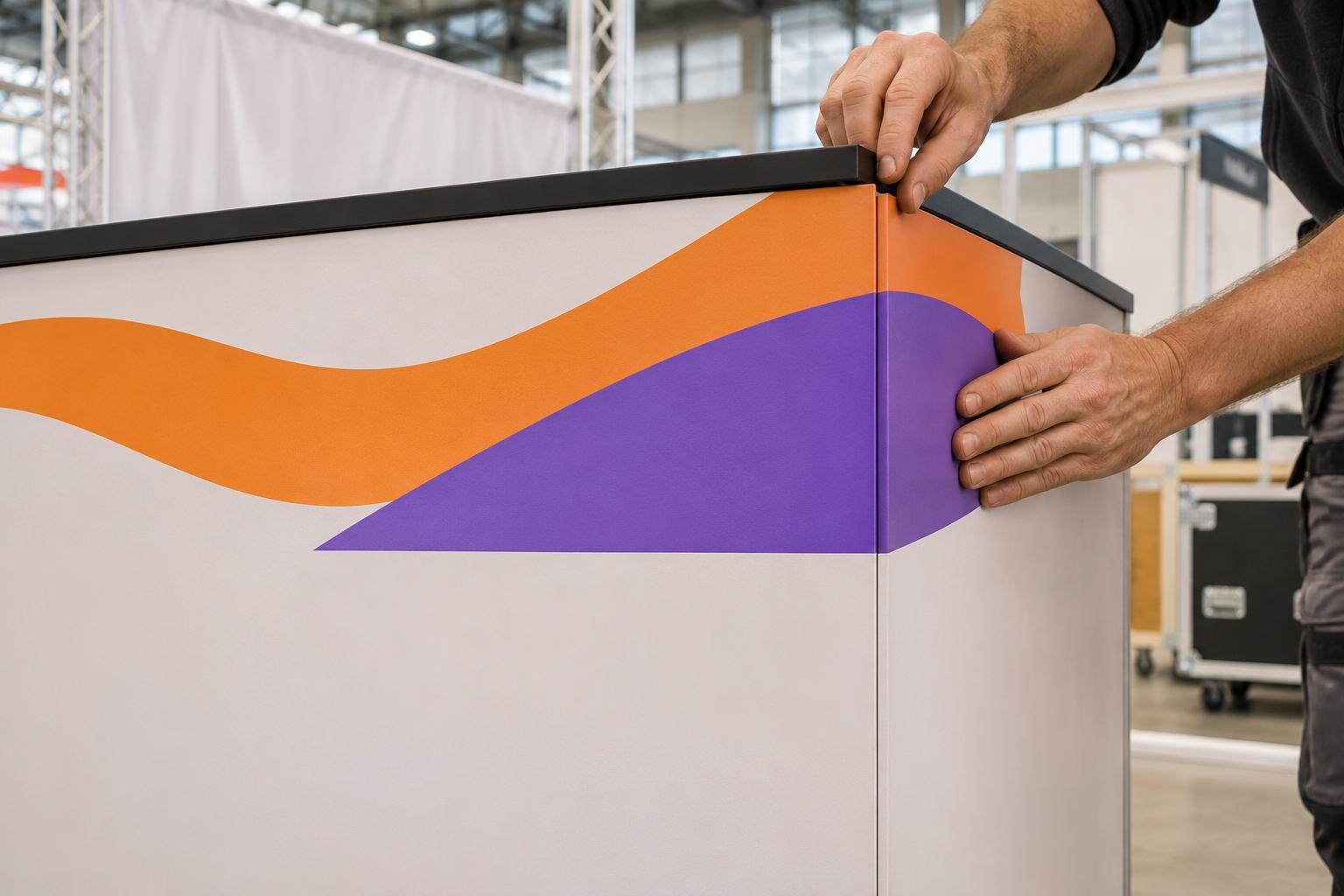
An adjacency table records which surfaces touch and whether a visual relationship must cross the join. A continuous scene across a counter's front and sides is one design relationship that can require three production files. ITC's page states the case directly: counter graphics need separate files for the front and the two sides, and a repeating pattern must be built so that it continues correctly across the front and both sides (Source: www.itc.events). The designer therefore draws one scene on the map, but the supplier receives three artboards at three different sizes. The adjacency table is the document that lets the designer split the scene correctly and lets the reviewer check the alignment.
A monitor or screen is not part of this scene in a production sense. It has its own brief: the content, aspect ratio, resolution and file type are specified by the screen's native format and the supplier or venue player, not by the print template. The HDTV recommendation ITU-R BT.709 specifies a 16:9 aspect ratio with 1,920 samples per line and 1,080 active lines (Source: www.itu.int), which explains why many screens are described as 1920 by 1080, but the buyer should still confirm the actual screen's resolution, orientation and accepted file types with the supplier. Booth monitor mounts also come with size limits; one pop-up vendor lists mounts up to 50 inches [17].
Graphic Types, Surfaces and Seams
Tension fabric, pop-up panels and rigid panels
The surface type changes how many files and seams the design involves. Tension fabric graphics attach to a frame in three common ways: a hook-and-loop strip sewn to the back [18], silicone edges sewn to the fabric and pushed into a frame groove [18], or a pillowcase slipped over the frame and zipped shut [18]. Tension fabric is normally printed by dye sublimation [18], and a printer quoted in a trade-press article says it chooses dye-sublimation for large trade show graphics so they can be folded, noting that UV-printed fabrics look sharper but do not fold as easily [19].
Rigid panels (aluminum composite, Sintra, foam board) behave differently. American Image describes folding panel displays as typically about 2 ft wide by 3 ft tall per panel [20], which means a wide design is split across several physical panels with joins between them. Pop-up fabric walls sit between the two: one vendor states that pop-up displays show their seams [21], while another supplier describes its 16 ft grand-format printing as producing oversized graphics without visible seams [22]. These are vendor claims about their own products, and the right reading is that seam behavior depends on the system, the print width and the supplier's process.
Maximum seamless width is itself process dependent. A dated exhibit-builder fabric FAQ (the filename suggests 2009) states that maximum width varies from 118 inches downward depending on the printing process [23]. Treat that as an example that a limit exists, not as a current figure, and ask the supplier for its present maximum.
Typical backwall sizes
Backwall sizes are hardware-specific, and the numbers below are illustrations rather than specifications. American Image lists a 20 ft inline backwall in silicone edge graphics as often about 240 inches wide and 90 inches tall [3]. Show rules cap the height available: a 2019 IAEE guideline (a copy hosted on a third-party site) notes an 8 ft backwall limit is generally specified for linear booths [14], PPAI's exhibit specifications allow a maximum back wall height of eight feet [24], and C2E2 lists a 12 ft maximum for linear booths [25]. The designer should not draw a 10 ft tall hero image until the show's height rule and the supplier's frame height are both known.
Two further rules affect graphics. C2E2 states that no graphics, logos or print may face into another booth [25], so the back of a backwall can be a regulated surface, not a free one. And height variances can be unavailable late: the same manual says none will be granted before or at the show [25].
Backlit, hanging and floor surfaces
Backlit surfaces add material decisions. Orbus offers an optional white opaque liner for an additional cost [26], and a Displays2Go kit page describes SEG graphics backlit by integrated LED lighting [27]. Whether a design needs backlight-specific color or a frame-shadow allowance is a supplier question.
Hanging signs are typically 8 to 20 feet wide [28] and 2 to 6 feet tall [28] according to one general service contractor, and they are shipped separately from other booth materials [28]. An IAEE guidelines document, as mirrored on a third-party site and possibly not current, advises labeling and casing hanging signs separately because they usually go up first (Source: media.nips.cc). A hanging sign is therefore its own surface on the map, with its own delivery and installer, and PPAI measures its height from the floor to the top of the sign [24].
One backwall artboard, three counter faces and one screen composition equal five output files, four physical print surfaces and one digital output. That count says nothing about hours, installations or concepts required.
From Template to Files: What Crosses Panel Boundaries
Templates are supplier and hardware specific
The central practice is to start from the supplier's template for the exact hardware, not from a generic artboard. Displays2Go publishes per-kit templates with bleed-inclusive and visible sizes; the 10 by 10 kit page lists a back panel with its bleed-inclusive width and height [29], and a pop-up kit page lists a graphic with bleeds [30]. ExhibitTrader says standard displays have graphic specifications or templates available through a consultant [31]. Trade Show Plus supplies layered Adobe Illustrator PDF templates [32].
Templates are also revised. Classic Exhibits' template for one 10 by 10 backwall tells customers to check with customer service to ensure the template matches the specific job [33], because standard kits are often customized. This is why the register below has a column for template revision: a design built on a superseded or generic template is a hardware/template change, not a designer revision, and the fix is a new adaptation round.
One file or several
Suppliers disagree on whether multi-panel graphics should be a single file or several, which is why the answer must come from the actual vendor. American Image says images are tiled at the production level from a single image [34], but also says one product line, Xpressions, should always be prepared as individual layouts [34]. Nimlok requires pop-up mural files to be built as one file [2]. ITC, by contrast, requires three separate counter files (see above). The map solves this by recording both the design relationship (one scene) and the production relationship (one or three outputs) for each surface.
What can cross a boundary: imagery and background color the supplier explicitly says may continue across panels, built from its template. What needs separate treatment: logos and text near a panel break, anything near a fold or stitch line, and anything on a surface that the supplier says needs its own layout. Where a template shows an obstruction or hidden region, no critical content should sit there. Bleed is the extra material that is cut off or used to sew the graphic to the frame; it is not visible when assembled [35], and a printer warns against adding any bleed beyond what the template specifies [35].
Supplier-stated specifications differ
Table 1 below shows a deliberately small sample of supplier-stated file instructions. It is not a checklist to apply. Its point is that the same design cannot be exported once and sent everywhere.
| Supplier or organizer | Scale and resolution statement | Bleed or file statement | Color or format statement |
|---|---|---|---|
| ITC (event organizer, 4 sq m stand) | No scale or resolution statement captured in the page read | Separate counter front and side files (see above) | Page states a CMYK-only rule (Source: www.itc.events); template links on the page; the artwork deadline appears in the deadlines section |
| ExhibitTrader | 100% scale preferred [31]; 100 to 150 dpi [31] | Custom sizes need two inches [31] | Display-specific templates |
| GES Exhibit Systems+ | 100% scale [36]; 100 dpi minimum [36] | 1 inch bleed all sides [6] | Spot-color advice in its guide |
| Nimlok | 100 to 120 pixels per inch at 100% [2] | Bleed varies by product, with larger values for very large dye-sub [2] | Built-as-one-file rule for pop-up murals |
| Xtreme Exhibits | 120 to 150 pixels per inch at 100% [4] | Art time charged if files need fixing [4] | Proof color caveats (see color section) |
| SEG Systems | 50% or 25% scale for very large art [7] | 2 inch bleed standard for silicone edge graphics [7] | PMS matching adds production days |
| Skyline | Files at 10% or 100% size [37] | Refer to Skyline Grid or art templates [37] | RGB and CMYK both accepted [37] |
| Freeman | 75 to 150 PPI at 100% [5] | Not captured in the pages read | CMYK-only ink [5] |
| American Image | 100 ppi stated as suitable [34] | Lists the largest bleed when a template gives none [34] | Native layout files with linked files |
The table shows three things. First, scale conventions differ (100%, 50%, 25%, 10%). Second, bleed is a template matter, not a constant, because each product has its own requirement. Third, even format policy differs, with one supplier requiring native layout files [34] while another lists PDF/X-1a, X-3 or X-4 settings as good choices [38]. The conclusion is operational: the designer should receive the vendor's current template and written file instructions, and the buyer should not accept a general "print-ready" label as sufficient.
For PDF construction itself, this report does not reteach preflight. The PDF Association describes the ISO 15930 family as defining PDF/X for graphic arts and professional printing [39], and Adobe says the strict requirements of PDF/X can help produce better prints [40]. The ISO catalogue shows ISO 15930-7 (PDF/X-4) as reviewed and confirmed [41]. Even so, a supplier may still ask for native files or a different scale, as Table 1 shows.
Quotes, Responsibilities and What a 2D Designer Can Own
What a "booth graphics" quote should itemize
A single line reading "booth graphics" hides at least eight separate scopes. The buyer should ask for each of the following, and for a named owner of each:
- Creative design: the concept and 2D composition, and how many concepts and rounds are included.
- Adaptation: splitting the composition into the supplier's template surfaces, including seam handling.
- Proofs: who produces the proof, what it covers, and who approves it. GES describes its proof as a courtesy review of the files submitted by the exhibitor [6].
- Print: the print process, material and finishing. Orbus says it finishes each dye-sublimated fabric graphic by hand [42].
- Hardware: frames, lighting, monitors and mounts, selected by the exhibit supplier.
- Shipping and drayage: destination, timing and handling.
- Installation and dismantle: who builds, who supervises, who dismantles.
- Taxes and contingency: applicable taxes and a buyer-entered contingency.
Designer revision versus hardware or template change
A designer revision changes content within an approved template: a headline, a photo crop, a color adjustment. A hardware or template change alters the surfaces themselves: a different frame, a new counter, a revised template, a different panel count. Suppliers treat the two differently. Xtreme Exhibits says art time is charged when files must be fixed to meet its guidelines [4]. Orbus guarantees a requested ship date only when files need no revisions [43], and a revised e-proof returns within 24 hours when files need changes [43]. A quote should therefore separate "revision of approved art" from "re-adaptation after a template or hardware change," because the second can move the schedule and cost on the supplier's side as well as the designer's.
Where design providers fit
Table 2 compares what several design-subscription providers publish about scope relevant to booth work, as read on their own pages on 17 November 2026; prices and scopes change often, so check the provider page. It does not rank them, and the listed facts are each provider's own statements.
| Provider | Published scope relevant to booth work | Capacity and price as published | Print, fabrication or installation |
|---|---|---|---|
| Design Pickle | Lists trade show marketing materials [8]; excludes 3D and CAD [8] | Price set per plan scope [44]; typical turnaround stated as one to two business days [44] | None described on the pages read |
| Penji | Print work listed generally; no booth-specific scope found | Entry plan listed at $995 per month [45]; capacity equal to 2 to 4 hours daily [45]; delivery about one business day [46] | None described |
| ManyPixels | Lists posters, billboards and banners [47] | Plans on its pricing page; delivers editable source files [47]; first update next business day [48] | None described |
| Kimp | Lists tradeshow banners [49] | 2 to 2.5 hours allocated per business day [49]; as fast as 24 hours for simple tasks [49] | None described |
| Flocksy | Designs trade-show booths and delivers print files [9] | Hours-based plans; unused hours roll over for 30 days [50] | Files for the customer's printer [9] |
| Superside | Specialist production includes 3D [51]; no booth-specific scope found | Subscriptions start at a $15,000 monthly minimum on an annual term [51] | None described |
| Designity | No booth-specific scope found | Plus plan 120 hours per month [52]; unused hours do not roll over [52] | None described |
| Tapflare (publisher; self-described) | Graphic and marketing materials by a flat-rate subscription with a dedicated project manager; 3D modeling excluded; no booth-specific scope published | Daily hours set by plan; the publisher states its policy that hours do not guarantee delivery dates; confirm scope and schedule in writing before ordering | No fabrication, print or installation service; 2D files only |
Three observations follow. First, only some providers name booth or trade show work at all, and where they do, the deliverable is design and files. Second, plans are expressed in hours or capacity, with turnaround stated as expectations; none of the pages read promise delivery against an event date. Third, a subscription fits best when the work is a bounded 2D task with schedule slack. Tapflare publishes no booth-specific scope, only generic graphic and marketing materials, so at most it is one possible resource for generic 2D artwork if its scope and schedule fit. It is a poor fit for a one-off job with an immovable artwork cutoff, and it cannot supply hardware, structural design, print, fitting or installation. For those, the buyer needs an exhibit vendor or a specialist exhibit contractor.
Fit tests and approval
A fit test is a check that the artwork and the hardware actually match. Evidence of fit testing is thin in the pages read. One exhibit builder says the exhibit is in most cases staged at its facility including all graphics [53] and advises asking to see sample instructions and packaging [53]. Whether a fit test is possible, and who approves it, is a question for the exhibit vendor. The buyer should not assume a 2D designer can approve fit.
- Draw the installed-view map, build artwork on vendor templates and adapt it across surfaces.
- A subscription fits best when the work is a bounded artwork task with schedule slack.
- Own hardware selection, fit confirmation, fabrication and print.
- Own shipping and installation, along with the show's rules.
Deadlines, Proofs and Installation Responsibility
Work backward from the vendor's dates
A schedule built only from design hours will fail on the vendor's clock. The dependable approach is to ask for each date in writing and name an owner for each dependency. ITC's page, for example, shows an artwork deadline of 23 April 2027 for that stand package (Source: www.itc.events), which is one current supplier's example and not a universal deadline.
The dependency chain, from the event backward, is:
- Show open and move-in window: set by the organizer and general contractor.
- Install and dismantle booking: who supervises or builds, and when labor is ordered.
- Delivery to the show or advance warehouse: direct-to-show and advance warehouse are separate routes [54], and warehouse dates vary by show; one exhibitor manual says its warehouse starts accepting shipments 30 days before the first show day [55], and another sheet says freight arriving more than 30 days ahead incurs storage fees [56].
- Production and shipping: one dealer states that standard digital large-format printing takes about 4 business days from approval of its digital proof [3]. Production often starts only after approval: Displays2Go says production lead time begins after proof approval [57], Orbus says production times are based on proof approval [11], and WS Display says production begins the following business day after graphic approval [58].
- Proof approval: the buyer's decision date. GES notes proofs not approved before move-in are subject to automatic approval [6].
- File review: Displays2Go says it reviews submitted files within 24 to 48 hours [1].
- Artwork adaptation: the designer's work, from the template.
- Template and hardware confirmation: the vendor's confirmation of SKU, revision and dimensions.
Recurring subscription hours without a date commitment may be unsuitable for an event with a fixed artwork cutoff. The buyer should confirm the cutoff, the proof date and the designer's availability before committing.
Color and proof process
Proof and color policy differ by supplier. One printer says digital proofs should not be used to judge color accuracy [38] and that approving a proof with warnings means the job prints as submitted [38]. Xtreme Exhibits states that supplied proofs or requested hard copy proofs are not guaranteed for color [4]. Orbus offers hard copy proofs with an additional charge [11], SEG Systems says printed color samples are produced at the current lead time and are not available as rush prints [7], and Freeman says color test prints are issued only for larger events [5]. Displays2Go notes that Pantone matching is available only for Illustrator files [57]. Color-critical brand elements should be raised with the printer before the artwork is built.
Who installs
Installation is often not a design-service function. Possible installers are the exhibitor's own staff, the exhibit supplier, the show's official contractor, or an exhibitor-appointed contractor. Skyline states that it provides installation and dismantle services [59], and American Image offers on-site supervision of set-up and tear-down depending on show location [60]. At the show, an official contractor may handle freight: GES describes itself as the official drayage contractor for one show [54] and says exhibitors may not unload their own vehicle [54]. At that show exhibitors are asked to supervise the safe loading of outbound merchandise [54].
An exhibitor-appointed contractor is any individual or company that is not an employee of the exhibitor and is hired to install or dismantle the booth [10], and the exhibitor remains answerable for its contractors' actions under that association's rules [10]. Some manuals price official-contractor supervision of third-party builds; one 2017 manual charged 30% of the labor bill [61] and required written notice 30 days before set-up [61]. These are examples from specific shows; the buyer should read the exhibitor kit for the actual event.
Fire and material rules are also event-specific. An IAEE guidelines document, as mirrored on a third-party site and possibly not current, states that a flame-proofing certificate should be available for inspection (Source: media.nips.cc), and PPAI tells exhibitors to comply with all city regulations [24]. The buyer should ask the exhibit vendor and the show whether the fabric needs a certificate; a 2D designer cannot supply one.
Worked Example and Blank Register
A fictional booth (Hypothetical Example)
The following example is fictional and uses no real show, vendor or SKU. A software company is attending a trade event with a 10 ft inline booth. The vendor has told the buyer which kit it will supply, so this is an artwork refresh; the counter is part of the vendor's supplied kit rather than a new structure designed from scratch. All bracketed fields are placeholders that the exhibit vendor must fill.
Table 3 is the filled surface register for that booth.
| ID | Surface and orientation | Connected surfaces and hidden regions | Template and revision | Artwork file | Physical print | Delivery point | Installer |
|---|---|---|---|---|---|---|---|
| W1 | Backwall, vertical, faces aisle | Meets C1 visually at the lower edge; monitor zone M1 obstructs the center; frame channel at edges | [vendor template ID and revision date, to be confirmed] | W1 artboard at vendor scale | Yes, 1 surface | [advance warehouse or direct to show, vendor to state] | [vendor, contractor or exhibitor staff] |
| C1 | Counter front, facing aisle | Turns the corner into C2 and C3; scene continues across all three | [template ID and revision] | C1 file at its own size | Yes, 1 surface | [as above] | [as above] |
| C2 | Counter left side, perpendicular to C1 | Edge meets C1; side faces the booth interior or neighbor, to be checked against show rules | [template ID and revision] | C2 file | Yes, 1 surface | [as above] | [as above] |
| C3 | Counter right side, perpendicular to C1 | Edge meets C1 | [template ID and revision] | C3 file | Yes, 1 surface | [as above] | [as above] |
| M1 | Monitor, mounted on W1 | Sits within W1's obstruction zone | Screen brief, not a print template | Separate screen composition at the screen's native format | No, digital output | Player or file transfer, to be confirmed | [vendor or booth staff] |
The count is then simple. One backwall artboard, three counter faces and one screen composition equal five output files, four physical print surfaces and one digital output. That count says nothing about hours, installations or concepts required. If the vendor's template instead requires the backwall as several panel files, as it may for a panel system, the file count changes; if it requires a single file, it stays at five. The map is what exposes this before the quote, not after.
Table 3 shows that the three counter faces carry one design relationship but three production files (matching the front-and-both-sides requirement described earlier), that the monitor has its own brief, and that every delivery point and installer is a stated unknown until the vendor answers. The bracketed fields do the work: each one is a question the exhibit supplier must answer in writing.
Blank register for your own booth
Copy the layout below and add one row per surface. Fill the vendor-confirmation fields only from written vendor answers.
ID | Surface/orientation | Connected surfaces | Visible vs hidden regions |
Template ID + revision date | Hardware SKU + dimensions | Artwork file name + version |
Physical print owner | Proof approver | Delivery destination + date | Installer | Open question for vendor
Budget logic for the register: budget equals actual supplier quotes for artwork, adaptation, proofs, physical production, shipping and installation, plus applicable taxes and a buyer-entered contingency. Do not substitute a rule of thumb for any quote.
Data Analysis and Evidence
The quantitative evidence for this topic is limited, dated and mostly supplier-specific.
Budget share evidence
EXHIBITOR magazine's budget research, from its August and September 2025 issue, surveyed nearly 200 event marketers [12]. It reports that graphic design and production took up 9 percent of 2008 budgets [12], then dropped to 6 percent in 2022 where it remains today [12]. An older EXHIBITOR feature built on a 2019 survey stated that roughly one-third of the typical trade show budget goes to exhibit space [62]. In June 2026, an IAEE commentary on the CEIR report on how the exhibit dollar is spent said exhibit space takes roughly 40 cents of every exhibitor dollar [63]; the original CEIR report was not readable in this research, so that figure is cited only as IAEE's characterization.
These figures are averages across exhibitors, with no margin of error on the pages read. They give no price for a given booth. They do suggest graphics are a modest share of a typical budget, which is a reason to scope them carefully rather than treat them as an afterthought.
Per-square-foot production costs
The EDPA 2019 economic survey, as reported by EXHIBITOR, put graphic production costs at a range from $17.51 to $33.74 per square foot depending on the option [62]. The sample size is not stated in the extracted text, the data are from 2019, and the range spans printing methods. It is evidence that print-method choice changes cost materially, not a current price. No starting reprint price is quoted in this report because the supplier pages checked did not yield validated prices.
Spread of supplier-stated specifications and show rules
Table 1 is the other quantitative result: across the suppliers read, resolution statements run from 75 to 150 PPI for one contractor [5] upward, scale conventions include 100%, 50%, 25% and 10%, and bleed runs from 1 inch to 2 inches. One printer attaches resolution to a viewing context, saying images should be at least 100 dpi at their actual final output size [38]. Show height rules vary too: 8 ft for linear backwalls in the IAEE guideline and PPAI specification, 12 ft at C2E2, and 10 ft for in-line, corner and peninsula booths in one contractor's key-rules summary [64]. No single number is correct across suppliers or shows, and every number here is a rule published at a point in time.
Implications and Future Directions
For the buyer, the main implication is organizational: split the order into a 2D design job and an exhibit-supplier job, and put the surface map between them. The map turns "booth graphics" into a list of surfaces that each have a named owner. The supplier's template becomes a controlled input, and a designer's revision is separated from a hardware or template change.
For agencies that outsource creative work, the register can be attached to the brief so that a freelancer, a subscription designer or an in-house team all work from the same surface list, and so the client sees which decisions remain open with the exhibit supplier. It also shows where a design provider's scope stops: print, fabrication, fitting and installation are not described on the design-provider pages read for this report.
Several uncertainties remain. Supplier pages change without dated notice; the pages cited were read on 17 November 2026, and some documents (the 2019 IAEE guideline, the 2009 fabric FAQ) are older. Fit testing and reprint-for-error policies were not documented in the pages read, so the buyer should ask for them directly. The screen workflow is the least documented part: apart from the HDTV recommendation, few vendor statements on monitor content were found. One supplier's guide suggests flat-panel monitors instead of light boxes when graphics need to change or move [65] (an older series post). Where a screen replaces a printed surface, content moves from a print file to a digital file, which is why the map keeps a separate screen brief. That is an observation about format, not a forecast of demand or cost.
Frequently Asked Questions (FAQs)
What are trade show booth graphics?
The printed surfaces (fabric, rigid panels, signs, floor graphics) and screen content that carry a booth's message. Each surface is defined by the exhibit hardware and its template.
How do I order trade show graphics?
Identify the order type, ask the vendor for the current template and file instructions, build the artwork on that template, and approve a proof. Production often begins only after proof approval [57].
What are the file setup and bleed requirements?
They are supplier-specific. Bleed is the area cut off or sewn to fit the frame [35]; values in the sources read run from 1 inch [6] to 2 inches [7], and resolution statements include 100 to 150 dpi [31]. Use the vendor's template.
Do trade show display graphics need seams?
It depends on the system and print width. One vendor says pop-up systems show panel edges [21], while another says its grand-format printing avoids visible seams [22]. Ask where seams fall and what may cross them.
Tension fabric or rigid graphics?
Tension fabric is typically dye-sublimated and attached by silicone edge, hook-and-loop or pillowcase; rigid panels are used in folding panel displays. The better choice depends on hardware, shipping and how often graphics change, which is a vendor question.
What are the design specifications for trade show graphics?
There is no universal specification. The correct one is printed on the vendor's template and file instructions for the exact hardware, and the buyer should confirm scale, bleed, resolution, color handling and accepted file types in writing before the designer starts.
Who installs trade show booth graphics, and what size is a backwall?
Installers vary by show (exhibit supplier, official contractor, exhibitor-appointed contractor or staff), so confirm in the exhibitor kit. Backwall size depends on the frame and the show's height rule, such as 8 ft [24] or 12 ft [25] in the sources read.
Conclusion
Trade show graphics are best bought as a set of mapped surfaces, not as a single design. Supplier and organizer pages agree that artwork must be built from the current template for the exact hardware, and disagree on scale, bleed, resolution, color handling and file format. A counter scene that is one design relationship can require several production files, a monitor requires its own brief, and a hardware or template change is not a designer revision.
The practical split is clear. A 2D designer or design subscription can draw the installed-view map, build artwork on the vendor's templates and adapt it across surfaces, provided the templates are supplied and the schedule has room. The exhibit vendor owns hardware selection, fit confirmation, fabrication, print, shipping and installation, along with the show's rules. The buyer owns the dates, the approvals and the contingency.
Before committing, hold five things in writing: the completed surface register, the template ID and revision for each surface, the artwork and proof dates with named approvers, the delivery destination for each item, and the installer for each surface. If a design subscription is the production resource for the 2D work, its scope and schedule must fit those dates; its published scope covers graphic and marketing materials and excludes 3D modeling. Ask any subscription provider, in writing, what its current scope includes and excludes for booth work; a provider's own pages are self-description and should be checked against the written scope before committing.
External Sources (65)
About
Tapflare
Tapflare in a nutshell Tapflare is a subscription-based “scale-as-a-service” platform that hands companies an on-demand creative and web team for a flat monthly fee that starts at $649. Instead of juggling freelancers or hiring in-house staff, subscribers are paired with a dedicated Tapflare project manager (PM) who orchestrates a bench of senior-level graphic designers and front-end developers on the client’s behalf. The result is agency-grade output with same-day turnaround on most tasks, delivered through a single, streamlined portal.
How the service works
- Submit a request. Clients describe the task—anything from a logo refresh to a full site rebuild—directly inside Tapflare’s web portal. Built-in AI assists with creative briefs to speed up kickoff.
- PM triage. The dedicated PM assigns a specialist (e.g., a motion-graphics designer or React developer) who’s already vetted for senior-level expertise.
- Production. Designer or developer logs up to two or four hours of focused work per business day, depending on the plan level, often shipping same-day drafts.
- Internal QA. The PM reviews the deliverable for quality and brand consistency before the client ever sees it.
- Delivery & iteration. Finished assets (including source files and dev hand-off packages) arrive via the portal. Unlimited revisions are included—projects queue one at a time, so edits never eat into another ticket’s time.
What Tapflare can create
- Graphic design: brand identities, presentation decks, social media and ad creatives, infographics, packaging, custom illustration, motion graphics, and more.
- Web & app front-end: converting Figma mock-ups to no-code builders, HTML/CSS, or fully custom code; landing pages and marketing sites; plugin and low-code integrations.
- AI-accelerated assets (Premium tier): self-serve brand-trained image generation, copywriting via advanced LLMs, and developer tools like Cursor Pro for faster commits.
The Tapflare portal Beyond ticket submission, the portal lets teams:
- Manage multiple brands under one login, ideal for agencies or holding companies.
- Chat in-thread with the PM or approve work from email notifications.
- Add unlimited collaborators at no extra cost.
A live status dashboard and 24/7 client support keep stakeholders in the loop, while a 15-day money-back guarantee removes onboarding risk.
Pricing & plan ladder
| Plan | Monthly rate | Daily hands-on time | Inclusions |
|---|---|---|---|
| Lite | $649 | 2 hrs design | Full graphic-design catalog |
| Pro | $899 | 2 hrs design + dev | Adds web development capacity |
| Premium | $1,499 | 4 hrs design + dev | Doubles output and unlocks Tapflare AI suite |
All tiers include:
- Senior-level specialists under one roof
- Dedicated PM & unlimited revisions
- Same-day or next-day average turnaround (0–2 days on Premium)
- Unlimited brand workspaces and users
- 24/7 support and cancel-any-time policy with a 15-day full-refund window.
What sets Tapflare apart
Fully managed, not self-serve. Many flat-rate design subscriptions expect the customer to coordinate with designers directly. Tapflare inserts a seasoned PM layer so clients spend minutes, not hours, shepherding projects.
Specialists over generalists. Fewer than 0.1 % of applicants make Tapflare’s roster; most pros boast a decade of niche experience in UI/UX, animation, branding, or front-end frameworks.
Transparent output. Instead of vague “one request at a time,” hours are concrete: 2 or 4 per business day, making capacity predictable and scalable by simply adding subscriptions.
Ethical outsourcing. Designers, developers, and PMs are full-time employees paid fair wages, yielding <1 % staff turnover and consistent quality over time.
AI-enhanced efficiency. Tapflare Premium layers proprietary AI on top of human talent—brand-specific image & copy generation plus dev acceleration tools—without replacing the senior designers behind each deliverable.
Ideal use cases
- SaaS & tech startups launching or iterating on product sites and dashboards.
- Agencies needing white-label overflow capacity without new headcount.
- E-commerce brands looking for fresh ad creative and conversion-focused landing pages.
- Marketing teams that want motion graphics, presentations, and social content at scale. Tapflare already supports 150 + growth-minded companies including Proqio, Cirra AI, VBO Tickets, and Houseblend, each citing significant speed-to-launch and cost-savings wins.
The bottom line Tapflare marries the reliability of an in-house creative department with the elasticity of SaaS pricing. For a predictable monthly fee, subscribers tap into senior specialists, project-managed workflows, and generative-AI accelerants that together produce agency-quality design and front-end code in hours—not weeks—without hidden costs or long-term contracts. Whether you need a single brand reboot or ongoing multi-channel creative, Tapflare’s flat-rate model keeps budgets flat while letting creative ambitions flare.
Disclaimer
This document is provided for informational purposes only. No representations or warranties are made regarding the accuracy, completeness, or reliability of its contents. Any use of this information is at your own risk. Tapflare shall not be liable for any damages arising from the use of this document. This content was generated with assistance from artificial intelligence tools, which may contain errors or inaccuracies. Readers should verify critical information independently. All product names, trademarks, and registered trademarks mentioned are property of their respective owners and are used for identification purposes only. Use of these names does not imply endorsement. This document does not constitute professional or legal advice. For specific guidance related to your needs, please consult qualified professionals.